Online Driving License Check | Tracking DLIMS 2026
Quick And Reliable Online Driving License Check
Punjab’s online license ecosystem now lets people handle key driving-related tasks digitally instead of depending on repeated office visits. Through the province’s centralized management system, users can review the standing of a license, follow application progress, and access records tied to renewal or category changes from home. The service is designed to make official data easier to reach while improving trust in the information shown to license holders.
Got an E-Challan? Find out how to check E-Challan Online
For 2026, the system appears to place greater emphasis on speed, live record visibility, and stronger data protection. Residents can use basic identifiers such as a CNIC or license number to confirm whether a license is genuine and to see its current condition, including whether it is still usable or has lapsed or been restricted. This kind of digital access is valuable not only for drivers, but also for employers, enforcement agencies, and Pakistanis abroad who may need fast proof of license status. The official Punjab platform remains the most dependable source for final verification, while related road-use rules and youth permit options are also important for certain users.
How Do You Apply For An Online Driving License?
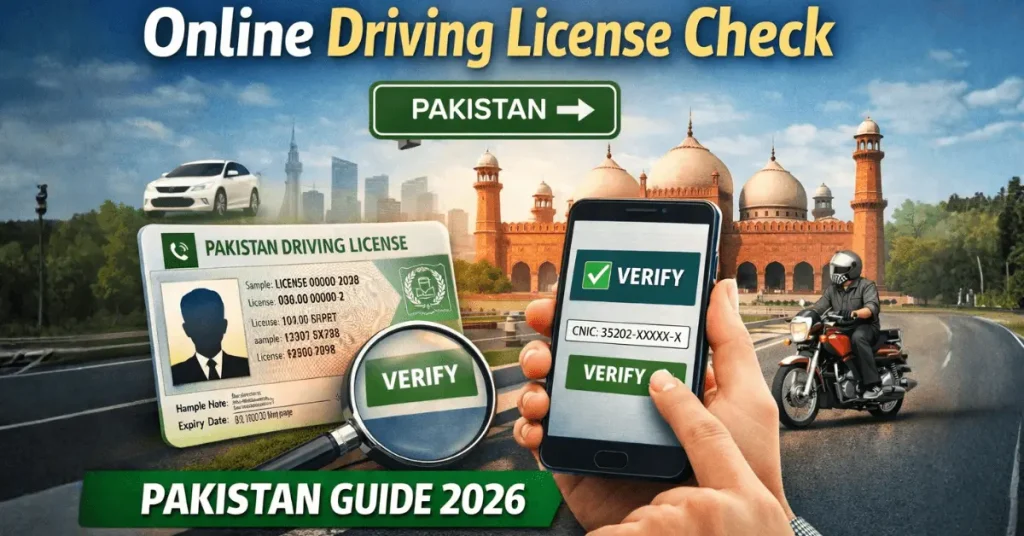
Applying for a driving license online in Pakistan is now much easier because the initial process can be completed through the official licensing portal. Instead of visiting offices at the start, applicants can create an online account, enter their personal details, upload the required documents, and pay the fee digitally. This system helps people begin their learner license application from home while also giving access to other services such as renewals, duplicate licenses, international permits, and application tracking. It makes the process more organized, reduces unnecessary delays, and allows applicants to manage future license-related tasks from one account.
To complete the application, users first register on the portal using basic details such as their name, CNIC, contact information, and password. After logging in, they can open the dashboard and choose the required service. The form then asks for identity, address, and personal information, along with vehicle type and transmission preference. Applicants must also upload a recent photo and CNIC images before moving to the payment stage. Once the fee is paid through available digital payment methods, the learner license can usually be accessed from the account and downloaded or printed for legal use during the learning period.
Key points of the online driving license process:
- Create an account on the official driving license portal
- Use the same account later for renewals, duplicate licenses, and status tracking
- Fill in personal, contact, and address details carefully
- Select the relevant license category based on your need
- Choose vehicle transmission type, such as manual or automatic
- Upload the required documents, including photo and CNIC copies
- Pay the license fee using the generated payment reference
- Check the application status from your dashboard
- Download or print the learner license after payment verification
- Complete any remaining in-person requirements if needed for your license type
What Are The Steps To Verify And Track Your License Status?
Verifying and tracking a driving license online in Pakistan is a simple process that helps users confirm whether their license record is active and accurate. Through the official online portal, a person can check important information connected to their license without visiting a traffic office. This digital method is helpful for quickly reviewing personal and license-related details in one place, making it easier to confirm identity, validity period, and the type of vehicles the holder is authorized to drive. It also adds a layer of security by requiring basic verification before showing the results.
To complete the check, the user opens the official portal, enters the CNIC number, and may also provide the license number when available. A captcha or security code is usually required before submitting the request. After that, the system displays the available record, allowing the user to review core details such as name, city, issue date, expiry period, and current license standing. This makes the online system useful for people who want a fast and convenient way to monitor their driving license status.
Key points of license verification and tracking:
- Visit the official online driving license portal
- Enter your CNIC number carefully
- Add your license number if it is available
- Complete the captcha or security check
- Submit the request to access your license record
- Review personal details such as name and city
- Check license details including number and issue date
- Confirm the license validity period
- See the current status of the license
- View the vehicle categories allowed under the license
How To Renew Your Driving License In Pakistan?
Renewing a driving license in Pakistan is now easier because much of the process can begin through the official online licensing system, but applicants still need to prepare the right documents before submitting the request. The renewal method usually depends on the authority that originally issued the license, so it is important to use the correct provincial or city portal to avoid record errors. Through the official system, users can start the renewal request, review fees, understand any late charges, and track the progress of the application without relying on repeated visits to licensing offices. This makes the process more organized, but document accuracy remains essential for smooth approval.
In most cases, applicants need to provide their CNIC details carefully, keep their existing license record ready, and submit supporting documents such as photographs, a medical certificate where required, and the relevant form. After the application is filed, the renewal fee is paid according to the license category, and the updated license is usually processed within a few working days. Once completed, the renewed license may be delivered by courier or post to the address given in the application. Overall, the system works as a centralized platform for submission, payment, verification, and status tracking.
Key points of driving license renewal:
- Use the same authority portal that issued your existing license
- Enter your CNIC correctly, usually without dashes where required
- Keep your original driving license ready for the renewal process
- Prepare supporting documents before applying
- Common documents may include CNIC copy, passport-size photos, application form, and medical certificate
- Some renewal cases may also require expiry-related or postal proof
- Fees vary based on the type of license being renewed
- The online system can help users check charges and possible late penalties
- Renewal requests can usually be tracked after submission
- The renewed license is often delivered to the applicant’s provided address
- Processing time may take a few working days depending on the authority
How Do You Check Online Driving License Records By SMS in Pakistan?
In Pakistan, driving license information can also be checked through a mobile phone, which offers a simple option for people who may not want to use a web portal. This method works by sending a text message with the required identity details in the specified format, allowing the user to request license-related information directly from the service. It is a practical choice for quick record checks when internet access is limited or when someone wants a faster alternative.
Once the request is sent correctly, the response can provide core record details connected to the license holder. These may include the person’s identity information, the category of license, and the key dates linked to issuance and validity. Accuracy is important during this process, since the CNIC and other required details must be entered exactly as instructed for the system to return the correct record.
What Are The Advantages Of DLIMS Verification?
Saves Time and Effort
Online driving license verification removes the need to stand in long lines or visit traffic offices repeatedly. Users can check license details from home in just a few steps.
Provides Fast Verification
The system gives quick access to license information after entering the required details. This makes it useful for anyone who needs instant confirmation.
Improves Accuracy of Records
Digital verification helps users view official information stored in the system. This reduces mistakes and makes it easier to match license data with government records.
Helps Detect Fake Licenses
One of the biggest advantages of online verification is that it helps identify suspicious or non-genuine licenses. This supports stronger control against fraud and misuse.
Increases Convenience for Users
People can access the verification system through a mobile phone, laptop, or computer with internet access. This makes the process simple for drivers, employers, and authorities.
Supports Better Road Safety
When only valid and verified drivers are recognized by the system, it contributes to safer road use. Verified licensing helps ensure that authorized drivers are the ones operating vehicles.
Encourages Legal Compliance
Online verification helps drivers stay informed about their current license standing. This supports compliance with traffic laws and reduces the risk of driving with expired or invalid documents.
Offers Real-Time Status Tracking
Users can follow updates related to their license, including application progress or renewal status. This keeps them informed without needing to contact the office again and again.
Reduces Unnecessary Office Visits
Since many checks can be completed online, people do not have to travel just to confirm basic license details. This also reduces crowding at licensing centers.
Improves Transparency in the Process
A digital system makes the licensing process more open and traceable. Applicants can see updates more clearly, which builds trust in the system.
Supports Better Record Management
A centralized digital database allows license information to be stored in an organized way. This helps authorities maintain updated records and makes verification easier.
Assists Law Enforcement and Employers
Traffic officials and employers can use the system to confirm whether a license is valid. This is useful when checking driver eligibility and compliance.
Lowers Travel and Extra Costs
Because the process can be handled online, users spend less on transport and avoid extra expenses linked to multiple office visits. This makes verification more cost-effective.
Strengthens Digital Governance
Online license verification shows how public services can become more efficient through technology. It supports a more modern and accessible system for citizens.
Makes License Services Easier to Manage
In addition to verification, users can often access other services like renewal tracking and application updates through the same platform. This creates a smoother overall experience.
What Are The Documents Needed For An Online Application Process?
Applying for a driving license online in Pakistan becomes much easier when all required documents are prepared in advance. The application process usually starts with basic identity and photo records, but the exact requirements can change depending on the type of license and the applicant’s age. In most cases, applicants need a valid CNIC, scanned copies of the front and back of the CNIC, and a recent photograph in the accepted format. For some categories, especially for applicants above 50 years of age or those applying for commercial licenses, a medical certificate from an authorized practitioner is also required. Since authorities carefully verify the submitted file, missing documents can delay the process or even lead to rejection.
Some applicants may need extra supporting documents based on their situation. For example, people applying from abroad may be asked for passport copies, an authority letter, and supporting submission through a close blood relative. For permanent license applications, the required file is usually more detailed than for a learner permit. It may include the application form, original learner permit after the required waiting period, passport-size photographs, CNIC copy, medical documents where needed, and proof of fee payment. The main idea is simple: the online process works smoothly when every document is complete, clear, and submitted in the proper format.
Common documents needed for online application:
- Recent passport-size photograph
- Original CNIC
- Scanned copy of CNIC front
- Scanned copy of CNIC back
- Photocopy of CNIC
- Application form
- Fee payment proof or fee ticket
Additional documents in some cases:
- Medical certificate for applicants above 50
- Medical certificate for some commercial license categories
- Original learner permit for permanent license application
- Passport copy for applicants applying from abroad
- Authority letter if someone else is submitting on the applicant’s behalf
- Supporting documents from a blood relative in special cases
Important points to remember:
- Documents should be clear and in the required format such as PDF or JPEG
- Original records may still be checked at the licensing center
- Incomplete files can result in application rejection
- Permanent license applications usually require more documents than learner permits
- It is best to organize the full file before visiting the center or submitting the request
What Is The Fee Associated With Applying For An Online Learner Driving License?
The cost of applying for an online learner driving license in Pakistan is modest for common personal vehicle categories. For both motorcycle and car learners, the stated amount is Rs. 500, making the entry stage of the licensing process relatively affordable for new applicants.
This fee is the basic charge connected to starting a learner permit application for those two vehicle types. Anyone planning to apply should keep this amount in mind before beginning the process so they can complete the application without delay.
Fee Structure of Regular License in Pakistan
Category | Test Fee | Fee After Passing Test | Courier Fee | Total Fee (Excluding Test Fee) |
|---|---|---|---|---|
M/Cycle | Rs. 50 | Rs. 450 | Rs. 480 | Rs. 930 |
Rickshaw | Rs. 100 | Rs. 400 | Rs. 480 | Rs. 880 |
Rickshaw | Rs. 150 | Rs. 1350 | Rs. 480 | Rs. 1830 |
Tractor Agri | Rs. 50 | Rs. 950 | Rs. 480 | Rs. 1430 |
Tractor Commercial | Rs. 100 | Rs. 1400 | Rs. 480 | Rs. 1880 |
LTV | Rs. 150 | Rs. 1850 | Rs. 480 | Rs. 2330 |
Invalid Carriage | Rs. 0 | Rs. 0 | Rs. 480 | Rs. 480 |
M/Cycle+Car/Jeep | Rs. 200 | Rs. 1350 | Rs. 480 | Rs. 1830 |
M/Cycle+LTV | Rs. 200 | Rs. 1850 | Rs. 480 | Rs. 2330 |
Fee Structure of International License in Pakistan
Category | Fee per Annum | Courier Fee | Total Fee | Total Fee (3 Years) | Total |
|---|---|---|---|---|---|
M/Cycle | Rs. 450 | Rs. 480 | Rs. 930 | Rs. 1350 | Rs. 1830 |
Tractor Commercial | Rs. 1400 | Rs. 480 | Rs. 1880 | Rs. 4200 | Rs. 4680 |
Rickshaw | Rs. 400 | Rs. 480 | Rs. 880 | Rs. 1200 | Rs. 1680 |
Car/Jeep | Rs. 1350 | Rs. 480 | Rs. 1830 | Rs. 4050 | Rs. 4530 |
M/Cycle+M/Car | Rs. 1350 | Rs. 480 | Rs. 1830 | Rs. 4050 | Rs. 4530 |
Agriculture | Rs. 1350 | Rs. 480 | Rs. 1830 | Rs. 5550 | Rs. 4530 |
LTV | Rs. 1850 | Rs. 480 | Rs. 2330 | Rs. 5550 | Rs. 6030 |
M/Cycle+LTV | Rs. 1850 | Rs. 480 | Rs. 2330 | Rs. 5550 | Rs. 6030 |
LTV + PSV | Rs. 1850 | Rs. 480 | Rs. 2330 | Rs. 5550 | Rs. 6030 |
M/Cycle+LTV+Trac Com | Rs. 1850 | Rs. 480 | Rs. 2330 | Rs. 5550 | Rs. 6030 |
HTV | Rs. 1850 | Rs. 480 | Rs. 2330 | Rs. 5550 | Rs. 6030 |
M/Cycle+PSV | Rs. 1850 | Rs. 480 | Rs. 2330 | Rs. 5550 | Rs. 6030 |
HTV + PSV | Rs. 1850 | Rs. 480 | Rs. 2330 | Rs. 5550 | Rs. 6030 |
Tractor Agri | Rs. 950 | Rs. 480 | Rs. 1430 | Rs. 2850 | Rs. 3330 |
Invalid Carriage | Free | Rs. 480 | Rs. 480 | Free | Rs. 480 |
Which Apps Are Used For Driving License Verification In Pakistan?
In Pakistan, driving license verification through mobile applications depends on the city or province, which means users usually need to rely on the platform designed for their local traffic authority. Rather than using one nationwide app for everyone, different regions have introduced their own digital tools to help residents check license-related information more conveniently on mobile devices.
Punjab users commonly rely on the Rasta application for this purpose, while people in Islamabad use the City Islamabad app for license-related checking. In Balochistan, the relevant verification support is linked with the local traffic police platform in Quetta. Overall, the main point is that app-based license verification in Pakistan is region-specific, so users should choose the application connected to their own area to access the correct service.
Online Driving License Check by CNIC
The Online driving license online check by CNIC makes it much easier for people to verify their license details without visiting a physical office. Through the official Punjab traffic police system, drivers can use their CNIC to confirm important information such as license validity, current status, category, and key dates. This digital service is especially useful for individuals who want to check their record for personal use, renewal planning, or official verification. It also helps organizations such as employers and transport companies confirm whether a license is genuine.
The updated system has improved the overall experience by making searches faster, results more accurate, and access easier on mobile devices. To use this service, a person usually opens the official verification portal, selects the CNIC option, enters the CNIC in the required format, completes the captcha, and submits the request. The portal then shows the available license record, which helps the user confirm whether the license is active and valid. Overall, this online system saves time, reduces office visits, and makes license verification more convenient across Punjab.
Key points about Online driving license check by CNIC:
- Allows drivers to verify licence details online
- Removes the need to visit a licensing office for a basic check
- Uses the official Punjab traffic police verification system
- Lets users search with their CNIC number
- Usually requires CNIC entry without dashes
- Includes a captcha or security step before verification
- Displays licence details after submission
- Common results may include licence number, name, category, issue date, expiry date, and status
- Helps confirm whether a licence is active and valid
- Useful for drivers, employers, transport companies, and official verification needs
- Offers better speed, accuracy, and mobile accessibility than older manual methods
Difference Between DLIMS Verification and Manual Checking
Feature | DLIMS Online Verification | Manual Office Checking |
|---|---|---|
Speed | Gives results quickly through the online system | Often takes much longer due to office procedures |
Availability | Can usually be accessed anytime online | Limited to official office timings |
Convenience | Can be used from home or anywhere with internet access | Requires a physical visit to the relevant office |
Record Access | Uses a centralized digital database | Depends on paper files or local office records |
Accuracy | More reliable because data is pulled from the system | More dependent on manual handling and human accuracy |
Transparency | Makes the process easier to track and understand | Less visibility into progress and record handling |
Fraud Control | Helps reduce fake and duplicate licenses through digital records | More vulnerable to document misuse and irregularities |
Application Tracking | Allows users to follow progress online | Usually requires repeated visits or manual follow-up |
Public Effort | Reduces travel, waiting time, and repeated steps | Often involves delays, queues, and multiple visits |
Use for Authorities | Supports faster checking by traffic officials and related departments | Slower verification due to file-based checking |
Road Safety Support | Strengthens enforcement through quicker record confirmation | Weakens enforcement when records are hard to access |
Overall Experience | Faster, simpler, and more dependable | Slower, less efficient, and more time-consuming |
DLIMS is better for speed, convenience, transparency, and reliability, while manual checking is slower and depends heavily on office-based record handling.
Common Issues While Checking DLIMS License Online
Old License Record Is Not Available Online
Some older driving licenses may still exist only in manual records and may not yet be added to the digital system. In this case, the license may be valid physically but still not appear online.
Fix:
Visit the nearest driving license or Khidmat Markaz with your original documents and ask the staff to update or digitize your record.
CNIC Is Not Properly Linked With the License
If the CNIC was entered incorrectly at the time of issuance or renewal, the system may fail to display the e-license. This can also happen after CNIC updates or data mismatches.
Fix:
Take your original CNIC and driving license to the relevant office and request record correction and proper CNIC linking.
Recent Issuance or Renewal Is Still Processing
A newly issued, renewed, or upgraded license may not show online immediately because backend updates can take time.
Fix:
Wait for a few working days and check again later before submitting a new request.
Incorrect CNIC or License Number Entered
A small typing mistake can stop the system from showing the correct record. Wrong format or missing characters often lead to failed searches.
Fix:
Enter the CNIC and license number carefully in the exact required format and recheck all details before submitting.
DLIMS Server Is Temporarily Down
Sometimes the system may not work properly because of maintenance, heavy traffic, or technical downtime. This can stop pages from loading or cause incomplete results.
Fix:
Try again after some time, preferably during less busy hours such as early morning or late night.
License Was Issued by Another Province
Punjab’s system may only show licenses issued under its own authority. A license from another province may not appear there.
Fix:
Use the official verification portal of the province or authority that originally issued the license.
License Has Expired, Been Suspended, or Cancelled
If a license is no longer active for legal or administrative reasons, it may not appear normally in the system.
Fix:
Apply for renewal if expired, or contact the concerned authority to resolve any suspension or legal restriction.
Website Is Not Loading Properly
The portal may open slowly, show a blank page, or keep loading without results when the server is overloaded.
Fix:
Refresh the page after some time and try using the portal during off-peak hours.
Login Errors Prevent Access
Users may face login problems even when the entered details appear correct. This can happen because of old session data or browser issues.
Fix:
Clear cache and cookies, restart the browser, and try again using another browser or private mode.
License Verification Feature Is Not Working
Sometimes the verification section may fail to show any data because the central system is still updating records.
Fix:
Wait and check again later. If the matter is urgent, confirm the record through the official office.
Appointment Booking Is Failing
Appointment booking may not complete because of heavy demand, expired sessions, or system delays.
Fix:
Refresh the portal, reselect your city, and try booking again at a quieter time of day.
Learner Permit Page Is Not Opening
The learner permit section may stop working during upgrades or temporary platform issues.
Fix:
Use the service later, or visit the nearest traffic office if the matter cannot wait.
Browser or Device Compatibility Problem
Some devices or outdated browsers may not support the portal properly, which can cause loading or submission errors.
Fix:
Use an updated browser such as Chrome or Firefox and switch devices if needed.
Cache and Cookies Are Causing Session Problems
Stored browser data can sometimes interfere with login, page loading, or record access.
Fix:
Clear your browser cache and cookies, then reopen the site and try again.
VPN or Proxy Is Blocking Access
The system may not respond properly when accessed through a VPN, proxy, or non-local IP address.
Fix:
Turn off the VPN or proxy and use a regular local internet connection.
Wi-Fi Connection Is Causing Access Issues
Some users find that the system works poorly on certain broadband connections or unstable networks.
Fix:
Try opening the portal through mobile data instead of Wi-Fi.
Manual Record Update Is Still Needed
Very old or incomplete records may require staff intervention before they become visible online.
Fix:
Ask the licensing office to retrieve the old record and upload it into the digital system.
Mobile App May Show What the Website Does Not
In some cases, the website may not display the record even though it exists in the system.
Fix:
Check whether the official mobile app shows the record after logging in with the correct details.
Online Driving License Check FAQs
How Can I Verify My Driving License In Pakistan?
Use the official portal of the province or city that issued your license, then enter the required details such as CNIC, license number, or both. Punjab, Islamabad, Sindh, KPK, and Quetta/Balochistan all provide official online verification options.
How Can I Check My Driving License Status In Pakistan?
Open your issuing authority’s verification or e-license page and submit your record details. The result normally shows whether the license is active, expired, or otherwise restricted.
What Is The Procedure For The Renewal Of A Driver’s License?
Start from the same authority that issued your license, complete the renewal request or appointment step, submit the required documents, pay the fee, and then track the application. The exact flow varies by province, but Punjab and Islamabad both provide official renewal pathways online.
How Can I Track A Driving License In Pakistan?
Use the official DLIMS or provincial license portal and open the tracking, application, or e-license section. You will usually need your CNIC, license number, or account details to view progress.
What Happens If You Fail A Driving Test In Pakistan?
You do not get the permanent license on that attempt and must reappear under your issuing authority’s retest rules. In Punjab, the road-test retake waiting period was reduced to 15 days, while the first driving test still comes after the learner-permit waiting period.
Is DLIMS verification free?
Routine online verification is generally available through public official portals, while paid charges apply to services like renewal, duplicate cards, and international licenses.
Can I check my driving license without a license number?
Sometimes yes. Some official systems allow CNIC-based lookup, but others require both CNIC and license number, so it depends on the issuing authority.
Can expired licenses be checked online?
Yes, if the record is available in the digital system, the verification result can still show the license and its expiry or validity details.
Does DLIMS work for learner licenses?
It depends on the platform. Islamabad officially offers a separate learner verification option, and Punjab also supports online learner services through its digital licensing system.
How to check Islamabad driving license online
Go to the Islamabad Traffic Police DLIMS portal, open Verify License, and enter your CNIC and license number.
How to check international driving license online
Use the international verification option offered by your issuing authority. Punjab DLIMS includes an International License section, while Islamabad directs users to the City Islamabad app for International Driving Permit verification.
How to check driving learner license online
Use the learner verification section on the relevant official portal where that feature exists. Islamabad’s system checks learner permits with CNIC and permit number.
How to check KPK driving license online
Open the KPK official online verification portal and search with your CNIC or the required record details.
How to check Sindh driving license online
Visit the official Sindh Driving License site and use the online verification page to search your record.
How to check Balochistan driving license online
Use the official Quetta Traffic Police or Balochistan Police verification service and enter the requested details to view your license record.
How to check challan on driving license online
Use your province’s e-challan system, not the license verification page. In Punjab, challans are checked through the PSCA e-challan portal, and Islamabad Police also provides a separate e-challan verification service.
How to check driving license expiry date online
Run an online license verification on the official portal; the returned record usually includes the issue date and expiry or valid-to date.
Online driving license check in Pakistan has made license verification far more simple, practical, and accessible for everyday users. Instead of depending only on office visits, people can now review license details, track application progress, verify renewal status, and confirm record authenticity through official digital systems. This shift has improved convenience for drivers while also helping employers, authorities, and other users confirm whether a license is genuine and up to date.
At the same time, the system works best when users enter correct details, use the right provincial portal, and keep their documents complete for applications or renewals. Whether someone wants to verify a Punjab license by CNIC, check renewal progress, review expiry information, or understand common DLIMS issues, the online process offers a faster and more organized alternative to manual checking.
Overall, digital license verification in Pakistan is a major step toward better transparency, reduced fraud, and easier public access to essential services. By relying on official portals and following the correct process, users can save time, avoid confusion, and manage their driving license matters with greater confidence.